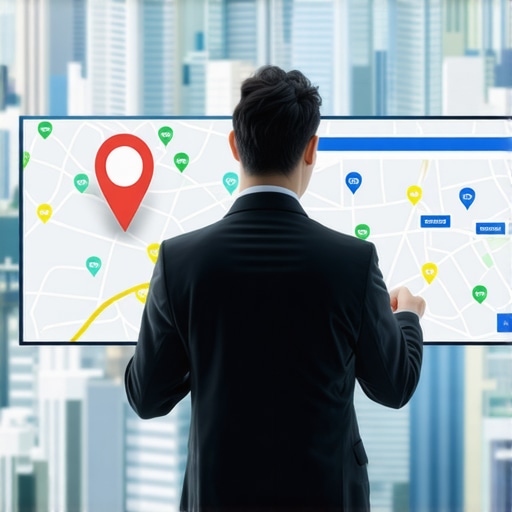
Why Your Business Pin Stopped Showing Up After the Last Local Algorithm Shift
There is perhaps no greater frustration for a local business owner than waking up, performing a routine search for your own services, and realizing that your digital storefront has vanished. For years, your red pin was a landmark on the local map, a beacon for customers and a primary driver of your revenue. Now? It’s gone. Or worse, it’s buried under layers of competitors who, quite frankly, don’t have your reputation or history.
As a Local SEO Consultant and Google Business Profile Product Expert, I see this “vanishing pin” crisis daily. The most common refrain I hear is: “But Kevin, my profile is still verified! Why can’t I see it?”
The hard truth of the 2026 local search landscape is that verification does not equal visibility. Just because Google has confirmed you exist at a specific address doesn’t mean it feels compelled to show your pin to every user. In fact, Google’s latest algorithm shifts have fundamentally changed how “Place Labels” are assigned. According to Google Support insights, a business may be verified and ranking in search results, yet its pin may not appear as a permanent map label unless the user is zoomed in to a specific level or searching for a highly specific term. We are no longer in an era where “setting it and forgetting it” works for google business profile seo.
Section 2: Decoding the Latest Local Algorithm Shifts
The local search ecosystem has undergone a massive transformation, moving away from simple keyword matching toward sophisticated, AI-driven filtering. We’ve moved past the days of the “Vicinity” update and into a period where Google utilizes “Neural Matching” and “Proof of Presence” to determine which pins deserve real estate on the map.
The current google maps algorithm is built on three pillars: Proximity, Relevance, and Prominence. However, the weight of these pillars has shifted. We are now seeing what I call the “Proximity Wall.” This is an AI-driven filter that aggressively hides businesses that Google deems “low trust” or “redundant” within a specific geographic radius. If three plumbers are located in the same office complex, Google’s AI filter may only show the one with the highest “Proof of Presence” signals, effectively ghosting the other two pins to provide a cleaner user experience.
To survive these shifts, you must understand The 2026 Local SEO Trends That Will Redefine How Your Maps Rank. Google is now looking for real-world signals that your business is physically active. This isn’t just about having an address; it’s about the GPS data of your customers, the frequency of “Request Directions” clicks, and the consistency of your digital footprint across the web. If the algorithm detects a “Engagement Gap,” your pin visibility will be the first thing to go.
Section 3: The 11-Point Diagnostic Audit
If your pin has disappeared, you need a systematic approach to find the leak. Use this 11-point technical checklist to diagnose why your google business profile seo is failing. For those looking for professional assistance, utilizing a google business profile seo service can help automate much of this data gathering.
1. Verification Status vs. Public Status
Check your dashboard. Is it “Verified” but “Suspended”? Or is it “Verified” but “Not Publicly Visible”? Sometimes, a subtle policy violation can trigger a “shadow ban” where you remain verified in the backend but are stripped of your map pin publicly.
2. NAP Consistency (Name, Address, Phone)
In 2026, Google’s AI cross-references thousands of data points. If your address is “Suite 200” on your website but “Ste 200” on a minor directory, it creates a tiny seed of doubt. Enough of these seeds will cause Google to pull your pin to avoid “confusing” the user.
3. Primary Category vs. Secondary Categories
The latest algorithm shift heavily penalizes “category stuffing.” If your primary category is “Personal Injury Lawyer” but you have ten unrelated secondary categories, Google may struggle to categorize your pin, leading to a loss in visibility for your main terms.
4. Recent Edit Delays
Google Business Profiles often experience a “visibility hold” after a major edit. If you changed your business name, primary category, or address recently, your pin might disappear for 7 to 14 days while Google’s “Trust Filter” re-evaluates the changes.
5. The “Home Address” Toggle
For Service Area Businesses (SABs), showing or hiding your address is a critical lever. If you are an SAB and you’ve accidentally toggled your physical address to “Visible,” Google may hide your pin if it detects you are operating out of a residential zone that prohibits commercial foot traffic.
6. Review Velocity and Sentiment
It’s not just about the number of reviews; it’s about the “velocity” – how fast you are getting them. A sudden stop in review activity can signal to the algorithm that the business is no longer active, leading to a loss of the “Place Label.”
7. Business Description Optimization
Your description should not be a list of keywords. It should use LSI (Latent Semantic Indexing) terms that provide context to your location and services. This helps the AI understand your “Relevance” pillar.
8. Photo Metadata and Quality
Google’s Vision AI scans your photos. If you are using stock photos, you are hurting your rankings. Real, geo-tagged photos of your storefront and team provide the “Proof of Presence” Google craves.
9. The “Place Label” vs. “Search Result” Distinction
Search for your business name. If the pin appears, but it doesn’t appear when you search for “services near me,” you don’t have a verification issue; you have a google maps ranking issue. You are being filtered out due to low prominence.
10. Citation Accuracy
Ensure your business is listed in niche-specific directories. If you are a doctor, you need to be on Healthgrades and WebMD. These high-authority citations act as “votes of confidence” for your physical location.
11. Website Syncing (Schema Markup)
Your website must have LocalBusiness Schema that matches your GBP exactly. If the website and the profile aren’t perfectly synced, Google’s confidence in your pin’s location drops.
Section 4: Advanced Recovery Tactics for 2026
Once you’ve completed the basic audit, it’s time to deploy advanced strategies to rank higher on google maps. One of the most common technical hurdles we see today is the “Satellite-Address Glitch.” This occurs when Google’s satellite imagery and its street-map data have a slight discrepancy, placing your pin in the middle of a road or a neighboring building. To fix this, you must manually move the pin in your dashboard by just a few inches to “snap” it back into the correct grid coordinate.
Furthermore, you need to understand How to Beat the Proximity Filter Using These Specific Google Business Profile Ranking Tactics. This involves creating “hyper-local” content on your linked website that mentions specific neighborhoods, landmarks, and local events. This signals to Google that your “relevance” extends beyond just your doorstep.
To accurately track your recovery, you should use a google maps rank tracker. Standard search trackers won’t show you the “geogrid” of your rankings. A geogrid tracker shows you exactly where your pin is visible and where it drops off, allowing you to identify if you are being “pushed out” by a specific competitor in a certain direction. This is a vital part of any modern google maps ranking service.
Section 5: Why Your Competitors Are Still Pinned
It is infuriating to see a competitor with 3 stars and no photos keeping their pin while yours vanishes. This usually comes down to “Engagement Gaps.” Google prioritizes pins that users interact with. If that low-quality competitor has been at that location for 20 years, they likely have a massive history of “Request Directions” and “Click to Call” data that Google’s AI uses as a safety net. This makes their pin “sticky.”
To combat this, you need to Master the Art of Local Pack Fix: Techniques to Boost Rankings. You must bridge the engagement gap by driving more “real world” signals to your profile. This can be achieved through local ad campaigns, encouraging customers to check in via the Google Maps app, and consistently posting updates to your profile.
Using local seo tools can help you analyze the engagement levels of your competitors. Are they posting more frequently? Do they have more user-generated photos? If your pin has disappeared, you need to Recover Your Pack Ranking: Proven Strategies to Fix Map Pack Loss by out-performing them in these behavioral metrics. You may also need a The Proof-of-Presence Audit: Fixing the Glitch That Hides Your Map Pin to ensure Google’s AI isn’t simply misidentifying your location as a duplicate.
Lastly, if you are struggling to see results, consider a professional How to Restore Your Map Pack and Improve Local Pack Visibility strategy that focuses on gmb ranking service tactics, such as cleaning up “ghost” citations and optimizing your “Place Label” triggers.
Section 6: Conclusion & Call to Action
Visibility is a moving target. In the 2026 landscape, Google isn’t just looking for your address; it’s looking for real-world signals that you exist where you say you do. If your pin has vanished, it’s a signal that the algorithm has lost confidence in your “Proof of Presence.”
Don’t let your competitors steal your local market share. It is time to perform a comprehensive google business profile audit. Whether you choose to use advanced local seo software or seek out a professional google maps seo expert, the key is speed. The longer your pin is missing, the more engagement data you lose to your rivals. Visit recovermymappackranking.com today to start your recovery and get your business back on the map where it belongs.